로컬 이미지를 마인크래프트 블록으로 변환
이미지를 마인크래프트 블록으로 변환
로컬 JPEG, 정적 PNG 또는 정적 WebP를 고르고 자른 뒤 대상 너비를 정하면, 브라우저 안에서 Common Concrete 16 블록 근사안을 얻습니다. PNG와 재료 목록은 직접 지을 때 보는 참고이며 이미지 업로드나 게임 파일 생성은 일어나지 않습니다.
도구 작업 공간
로컬 이미지 선택
JPEG, 정적 PNG, 정적 WebP를 지원합니다. 파일은 20 MB, 20 MP, 한 변 8,192 px 이하여야 합니다.
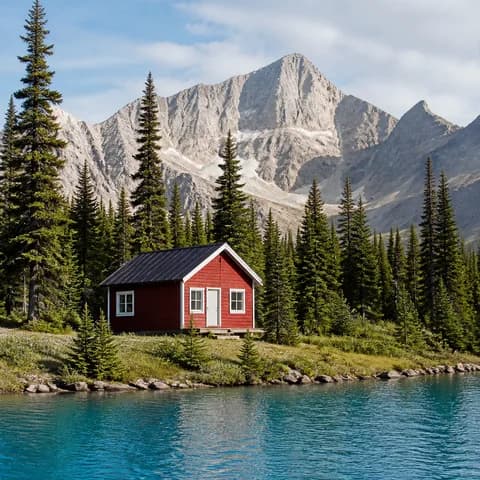
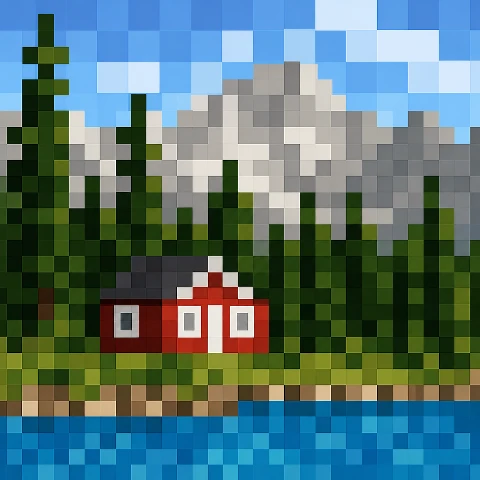
01입력
02미리 보기
미리 보기시작할 준비가 됐습니다
JPEG, 정적 PNG 또는 정적 WebP
최대 파일 크기: 20 MB
최대 디코드 이미지: 20 MP
이미지 한 변 최대: 8,192 px
큰 이미지는 자르기 전에 긴 변이 4,096 px인 작업용 크기로 줄어듭니다.
시작할 준비가 됐습니다
블록 건축 참고
다운로드 전에 치수, 팔레트, 디더링 설정, 재료를 확인하세요. 설정을 바꿨다면 다시 내보내기 전에 미리 보기를 업데이트해야 합니다.
무료 사용
이 브라우저에서 실행
이미지는 현재 브라우저에서만 처리됩니다. MapMC는 파일이나 픽셀을 서버에 업로드, 저장 또는 전송하지 않습니다.
이미지 URL은 지원하지 않습니다. 로컬 파일을 선택하세요.
다운로드는 수동 건축 참고 자료이며 게임 파일이 아닙니다. 월드, schematic, litematic, NBT, 지도 아이템, 지도 데이터를 가져오지 않습니다.
이미지를 마인크래프트 블록으로 변환 FAQ
MapMC가 내 이미지를 업로드하나요?
아니요. 선택한 이미지는 현재 브라우저에서만 디코드, 자르기, 변환됩니다. MapMC는 이미지 파일이나 픽셀을 업로드, 저장 또는 서버 전송하지 않습니다.
변환기는 어떤 파일 형식과 크기를 받나요?
JPEG, 정적 PNG, 정적 WebP를 사용할 수 있으며 최대 20 MB, 20 MP, 한 변 8,192 px까지입니다. HEIC, HEIF, SVG, GIF, APNG, 애니메이션 WebP, 이미지 URL은 첫 출시 범위 밖입니다.
변환기가 모든 마인크래프트 텍스처를 정확하게 맞추나요?
아니요. 계획을 위해 색을 고정 콘크리트 대표색에 매핑합니다. 리소스 팩, 셰이더, 조명, 바이옴 효과에 따라 게임에서 보이는 블록은 달라질 수 있습니다.
변환된 PNG를 마인크래프트에 가져올 수 있나요?
아니요. PNG와 재료 목록은 수동 건축 참고 전용입니다. 월드, schematic, litematic, NBT 파일, 지도 아이템, 지도 데이터 또는 자동 가져오기가 아닙니다.
자르기 및 대상 너비는 마인크래프트 이미지 변환기 결과에 어떤 영향을 미치나요?
대상 너비를 선택하기 전에 건축하려는 대상을 중심으로 이미지를 자르세요. 변환기는 출력 제한 내에서 높이를 계산할 때 자른 영역의 비율을 유지합니다. 더 넓은 영역을 선택하면 더 많은 세부 사항을 확인할 수 있지만, 더 많은 블록이 필요하고 수동으로 건축해야 하는 크기도 커집니다. 적당한 너비로 시작하여 윤곽선과 재료 개수를 확인하고, 추가 셀이 대상을 알아볼 수 있도록 하는 데 도움이 될 때만 너비를 늘리세요. 이미지가 고정된 콘크리트 팔레트로 축소되면 아주 작은 텍스트나 미묘한 그라데이션이 사라질 수 있습니다.
수동으로 블록을 건축할 때 디더링을 활성화해야 하나요?
자신의 이미지에서 두 가지 미리보기를 비교해 보세요. 디더링은 Common Concrete 16에 없는 색조를 만들기 위해 인접한 팔레트 색상을 혼합합니다. 멀리서 보면 그라데이션이 더 부드럽게 보이지만, 수동으로 제작할 때 더 복잡한 패턴이 생겨 더욱 세심한 작업이 필요합니다. 평면 로고는 디더링 없이 보는 것이 더 쉬울 수 있습니다. 최종 블록 참조 이미지와 재질 목록을 함께 검토한 후 사용할 PNG 파일을 다운로드하세요. 전체 벽을 제작하기 전에 실제 텍스처와 조명을 사용하여 게임 내 작은 부분을 테스트해 보세요.