How to Import a .mcworld File on iPhone or iPad
Keep the original safe, hand a valid Bedrock .mcworld copy from Apple Files to Minecraft, verify the imported world, and diagnose each failure stage.
Updated 2026-08-13 · MapMC Editorial
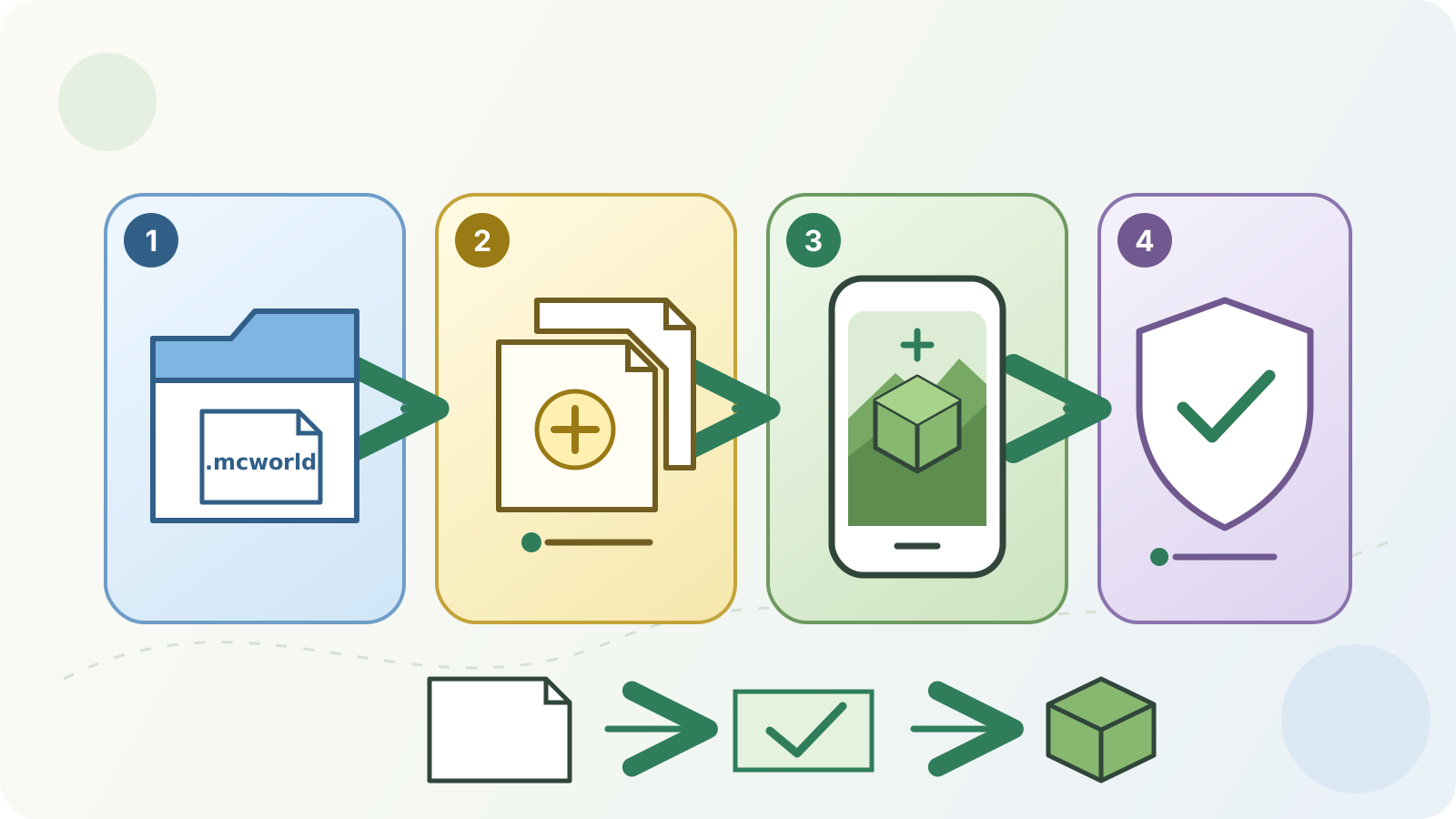
Keep the original download untouched. In Files, make a working copy of the valid Bedrock .mcworld file, then open that copy with the official Mojang Minecraft app when iOS or iPadOS offers Minecraft as a normal handoff option. Let the import finish, find the new local world from Minecraft's play screen, and verify it before deleting, renaming, or editing anything.
This is the Apple mobile path for Minecraft: Bedrock Edition. A Java world ZIP is a different package: changing its filename to .mcworld does not convert it. If you do not know which Edition or file type you have, start with the cross-platform import guide instead.
Check the package, app, and only-copy risk first
Do these checks before tapping the file. They separate a safe import attempt from a format, download, or ownership problem.
| Check | Ready to continue | Stop and resolve first |
|---|---|---|
| Source and Edition | The creator, MapMC job, or trusted delivery page says Bedrock and supplied .mcworld | The source says Java, the package came from an unexplained reupload, or its Edition is unknown |
| Filename | Files shows a complete filename ending in .mcworld | It ends in .zip, .rar, an installer type, or a misleading double extension |
| Original and working copy | The original remains untouched and a separate copy is available for the attempt | You have only one copy or an action would replace the source file |
| File availability | The copy is present in Files and available to open, not merely represented by an unavailable cloud item | The provider is offline, the download is incomplete, or the item reports zero or implausibly small size |
| Destination app | The installed destination is the official Mojang Minecraft app for iPhone or iPad | Minecraft is not installed, the offered app has a different publisher, or only Minecraft Education is available |
| Device headroom | The device has room for both the package and an imported local-world copy | Storage is critically low or the import would require deleting the only source |
The App Store listing currently identifies Mojang's iPhone and iPad app as Bedrock Edition. Minecraft Education also uses .mcworld, but it is a different app with a separate account, interface, and support path. Do not treat screenshots or button names from Education as proof of the consumer-app flow.
Make a working copy in Files
Apple Files can show local storage, iCloud Drive, Downloads, and configured third-party providers. The exact location and actions depend on how the package arrived and which provider owns it.
- Find the delivered
.mcworldin Files. If it is represented by a cloud-only item, make it available on the device before attempting the handoff. - Touch and hold the item. Where that Files location offers Copy or Duplicate, create a second file and give the working copy a recognizable name such as
area-import-copy.mcworld. - Leave the original in its known location. Do not unzip it, change its extension, or repeatedly move the only copy between providers.
- Note the source, visible filename, file size, intended Edition, and Minecraft version information supplied by the creator. These details matter if the handoff or import fails.
A shortcut, favorite, or second view of the same cloud item is not a backup. For an important world, keep an independent source copy before importing and make another backup after the first verified launch.
Hand the .mcworld copy to Minecraft
Microsoft's current Minecraft Creator documentation describes the iOS path as opening a world file with Minecraft and then accessing the successfully imported world from Play. Apple documents that Files can open or share items. Exact menus, labels, and app-association behavior can change with the device, OS release, provider, and Minecraft version, so use the normal options your device actually presents rather than forcing a hidden filesystem path.
- Open the official Minecraft app once and wait until it reaches its normal home screen. This confirms that the destination app can start before you involve the package.
- Return to Files and tap the working
.mcworldcopy. - If the device offers Minecraft as the normal destination, choose it. If tapping only previews the item, use Files' Share action only when Minecraft appears as a normal offered app.
- Let Minecraft remain open while it processes the package. Do not delete the file, force-close the game, or start another import attempt during this stage.
- After the app reports completion—or returns control without an error—open its play screen and look for a newly imported local world.
If Minecraft never appears as a destination, stop at the handoff stage. Reconfirm that the file is a locally available .mcworld, that the installed app is the official consumer Bedrock app, and that the package came from a trusted Bedrock source. Do not install an unknown “file opener,” expose the package to an untrusted repair site, or extract files into an undocumented app container.
Verify the imported world before changing it
An import message is not the final test. Identify and reopen the imported copy before you invest time in it.
- Compare the displayed world name with the delivery record. Duplicate names are possible, so do not rely on the name alone.
- Open the candidate world and check the spawn area plus recognizable terrain, structures, or recent builds.
- For a MapMC world, compare major roads, coastline, elevation, and landmarks with the real-world area you selected.
- Save and quit normally, then open the same local world one more time. This checks more than simply seeing an entry in the list.
- Keep the untouched
.mcworldand create a backup of the known-playable result before adding long builds, Add-ons, experiments, or version changes.
The world may open at a position that is not the landmark you expected. Use the MapMC first-world checklist and coordinate guidance before concluding that the import produced the wrong area.
Diagnose the stage that failed
Record the stage, exact message, file details, device OS version, and Minecraft version. Change one variable at a time and return to a fresh working copy when another attempt is justified.
| What happened | Failure stage | Check first | Safe next action | Do not do |
|---|---|---|---|---|
| The item cannot be opened or is still downloading | File availability | Provider connection, local availability, filename, and size | Finish the trusted download and copy it locally without altering the original | Rename a partial file or keep tapping an unavailable cloud item |
| Minecraft is not offered after tap or Share | App handoff | Official Mojang app, .mcworld ending, and normal Files actions | Preserve the package, update or repair the legitimate app through Apple's normal path, and retry a duplicate | Install an unknown handler or write directly into the app container |
| Minecraft opens but reports an import error | Package import | Source, Edition, download integrity, storage, and exact error | Obtain a fresh Bedrock package from the original source and retain the failed copy for comparison | Rename a Java ZIP, repeatedly repackage, or upload a private world to an untrusted fixer |
| No new world is visible after a seemingly successful handoff | World discovery | World names, list position, filters, time, and whether an error flashed | Reopen the play screen, compare candidates carefully, then use the dedicated “world not showing” guide | Delete similarly named worlds or repeat imports without tracking copies |
| The world is listed but fails on first launch | World load | Required version/content, available storage, and exact load error | Protect both the delivery file and imported copy, then troubleshoot the load on a duplicate | Downgrade, remove content, or accept a repair prompt on the only copy |
| The world opens but looks wrong | Content verification | Spawn, coordinates, landmarks, source job, and selected Edition | Keep all candidates and compare the delivery record before deciding which copy is correct | Delete by name alone or assume import changed Java into Bedrock |
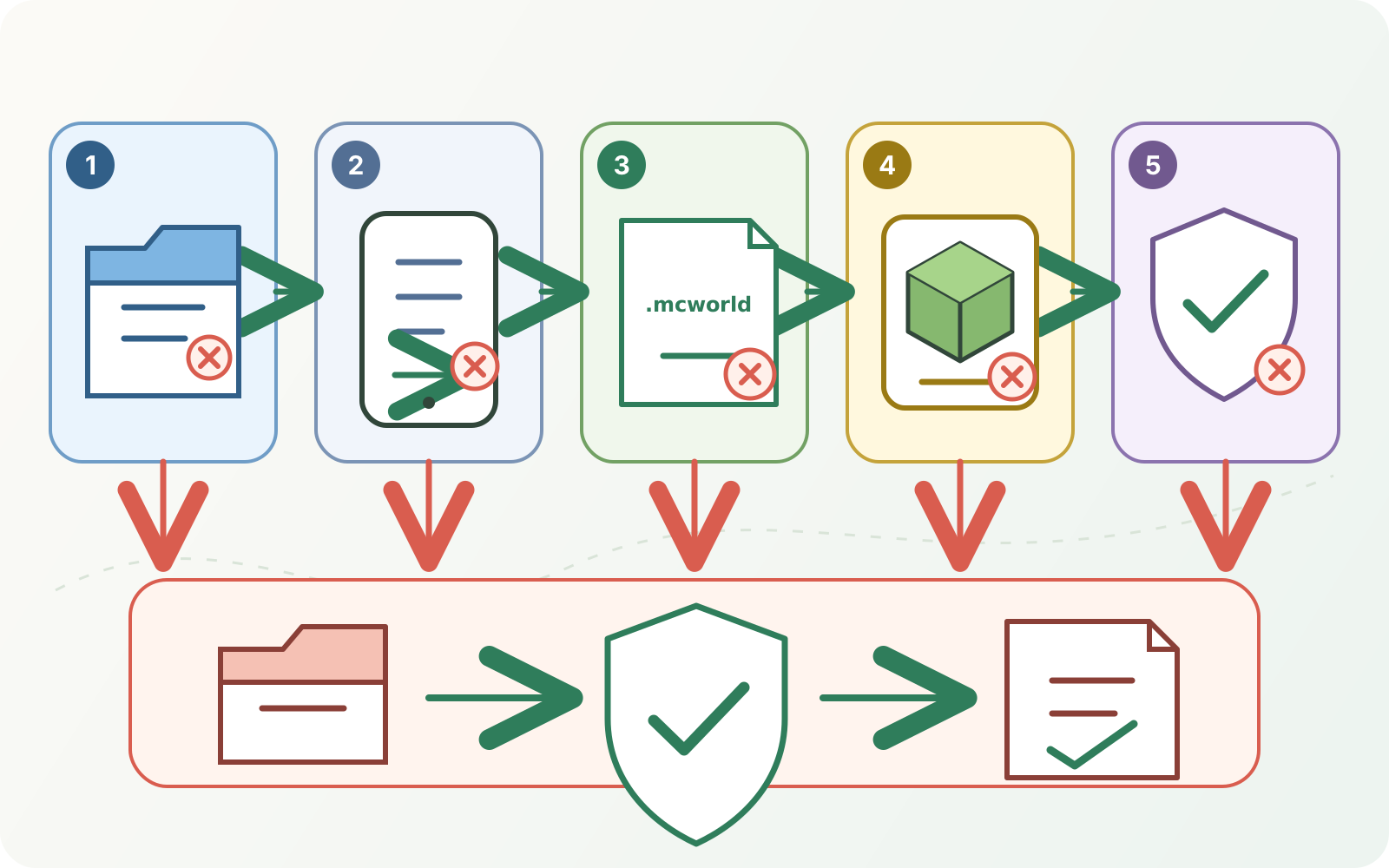
Do not start with reinstalling Minecraft. Removing an app can put local worlds at risk depending on the action and the device state. Protect and verify the files you own, follow Apple's current app-management wording, and use the official Minecraft support path before any destructive step.
Know what MapMC delivers—and what it does not
MapMC's current generation path delivers a Bedrock job as .mcworld and a Java job as a separate ZIP. For this guide, the correct input is the Bedrock artifact created for the job. MapMC does not install Minecraft, bypass iOS permissions, repair an arbitrary third-party package, convert a Java ZIP by renaming it, or recover a local world deleted from the device.
If you chose Java for a computer, use the Java import branch in the cross-platform guide. If your goal is to move an existing mobile world, replace a Realm, or upload to a server, use that task's guide because the permissions, rollback, and storage model are different.
Frequently asked questions
Can I rename a ZIP file to .mcworld on my iPhone?
Not as a conversion. A correctly prepared Bedrock archive can use the .mcworld extension, but changing the name of a Java ZIP or unknown archive does not transform its contents. Use the Bedrock file supplied by MapMC or the trusted creator.
Should I unzip a .mcworld before opening it in Minecraft?
No for the normal mobile import. Keep the valid package intact, preserve the original, and hand a copy to the official Minecraft app. Manual unpacking is a separate advanced workflow and can destroy the evidence needed to diagnose a bad download.
Why does tapping the file not open Minecraft?
The problem is still at the Files-to-app handoff stage, not necessarily inside the world. Check local file availability, the unchanged .mcworld extension, the official Mojang app, and the normal apps offered by Files. If Minecraft is absent, stop rather than choosing an unknown handler.
Where should the imported world appear?
Current Microsoft documentation directs users to Minecraft's Play area after a successful import. Exact tabs and labels can change. Look for a new local-world entry, then identify it by name, time, spawn, and landmarks instead of assuming the first duplicate name is correct.
Can I import the file into Minecraft Education instead?
Minecraft Education supports its own .mcworld import flow, but it is a separate product. Use its current support instructions and account environment; do not assume the consumer app and Education use identical buttons, storage, permissions, or content compatibility.
Sources and review basis
We use official documentation where available and show the references used for factual claims.